Novelcrafter

Changelog

What's new in Novelcrafter

Follow the latest features, improvements, and fixes as Novelcrafter evolves.

  1. February 21st 2024

    New Improved Write Prompts AI

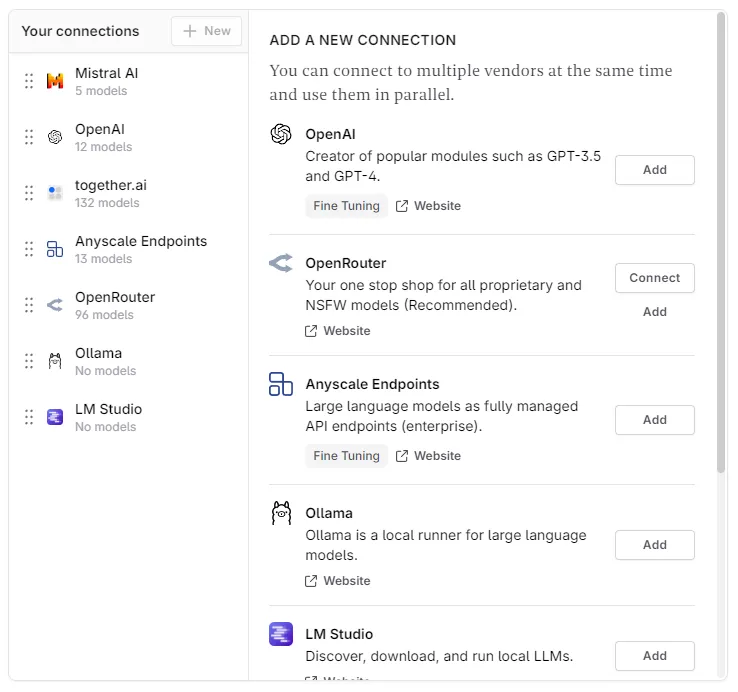
    Redesign of the AI Connection screen

    Since the current settings screen was a bit confusing for newcomers (click here, click there), the new screen has been reorganized for less clicking around. This is only step 1 in upcoming `usability improvements in that regard! image

    Collapsible Sections in your Prose

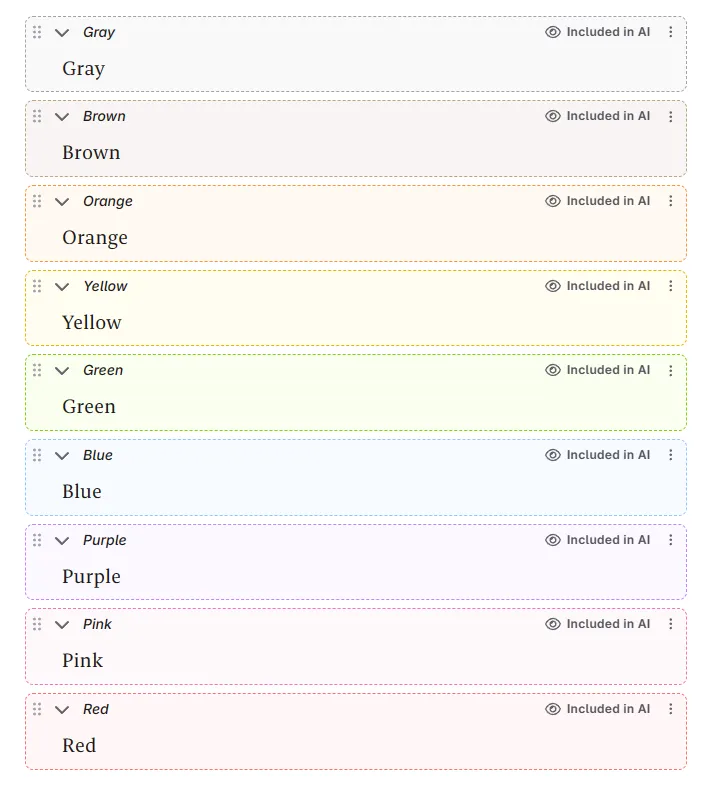
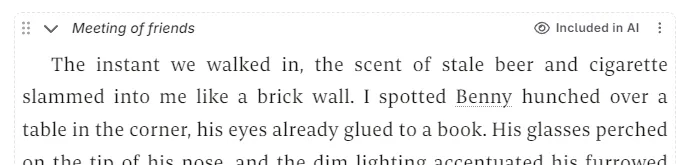
    Sometimes you generate multiple versions of a beat, sometimes you want to label things - or you simply want to hide things from the AI. You can now add sections within your manuscript to do just that! image

    You can create new sections from the bubble menu when selecting text, using the new “Section” button. Sections can be labeled, collapsed and also toggled on or off for AI (as in, should your prompts include the text).

    Other changes

    • New context.isStartOfScene function
    • Added optional lookback limit to context.storySoFar function: You can now specify how many scenes it should combine (e.g. context.storySoFar(10) will return the previous 10 summaries)
    • Added Filipino and Tagalog to novel language dropdown
    • Fixed Ollama custom base URLs not being recognized
    • Renamed “delete excess scenes” to “delete empty scenes” action to avoid confusion
    • Other various fixes and improvements
  2. PayPal Subscriptions are now supported

    New

    The payment processor Novelcrafter uses just added support for Subscriptions via PayPal. That’s right; You can now subscribe without a credit card as well! There is one caveat to this that only applies to PayPal subs: When picking a plan you are currently unable to upgrade/downgrade, you can only change the billing cycle (monthly or annually). We already contacted the payment provider to provide further clarification on the details.

  3. February 14th 2024

    Improved Chat Prompts
    • Improve chat message extraction to find even more content
    • Duplicate chat messages are now hidden
    • Fix being unable to hide help bubble
    • Fix word counts not updating in manuscript/write view

    Some custom prompt updates as well:

    • Add isLimited and isOmniscient checks to POVs
    • Add string.contains, string.startsWith and string.endsWith to functions
    • Add not to logic functions

    And the usual various other bug fixes and improvements, too.

  4. February 13th 2024

    New Improved Chat Prompts

    image

    Chat Message Extraction

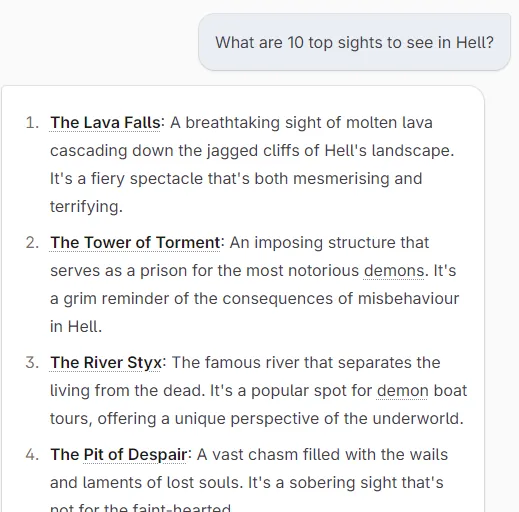
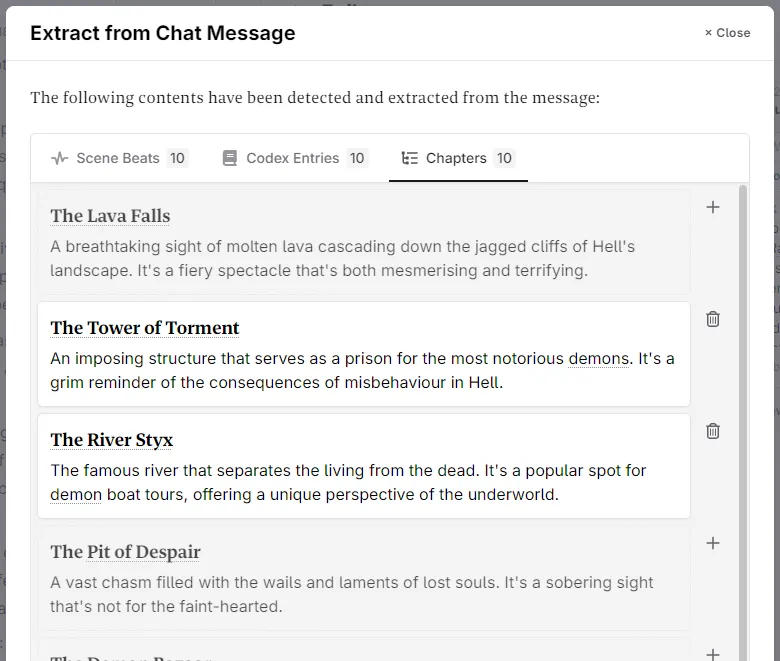
    You can now easily extract content from your chat messages:

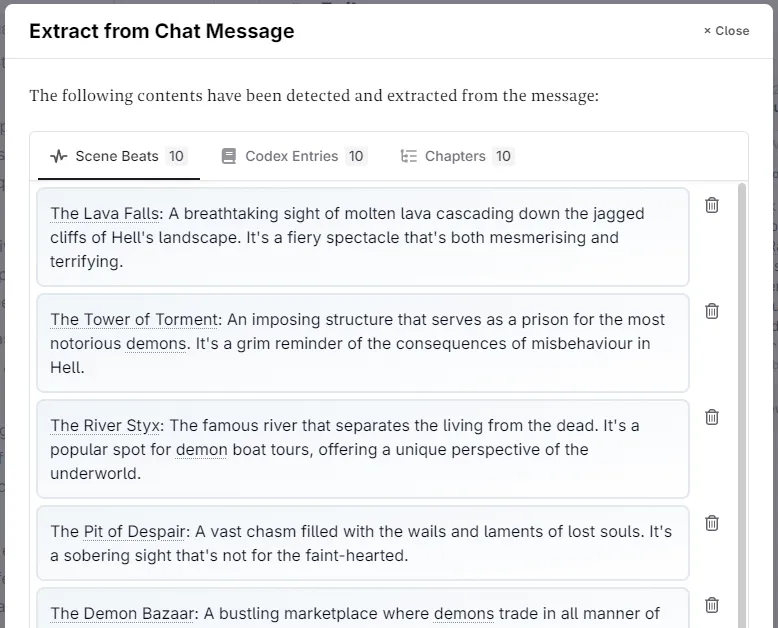
    1. Scene Beats: When beats are detected, you can now copy them all into the clipboard to paste them into your scene - all at once! image

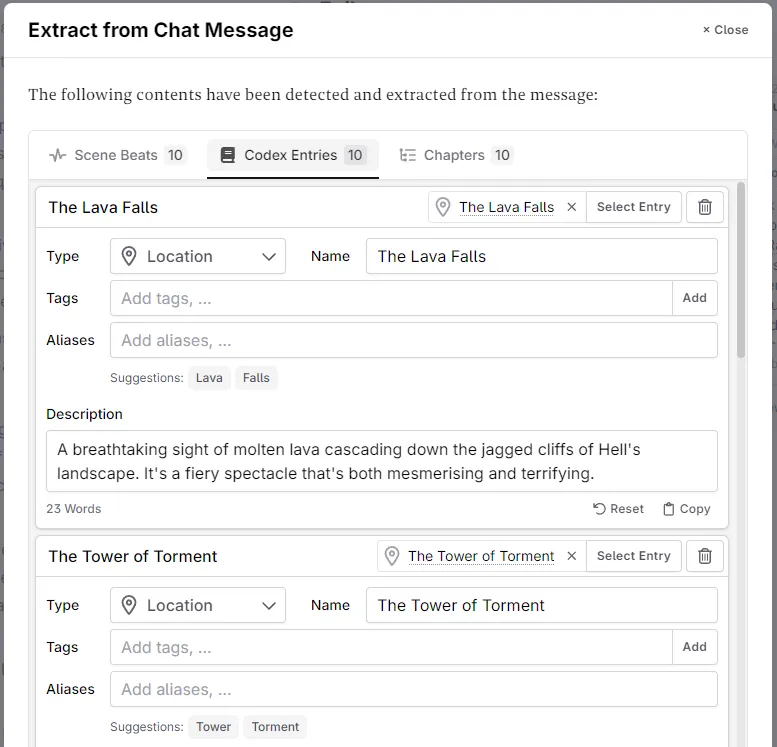
    2. Codex Entries: No more manual copy paste of your cast or settings. Let the system extract the details, and you can tweak them later. image

    3. Chapters/Outline: When the system detects a list of chapters, you can now add those to either a new, or an existing act. image

    To trigger the extraction, use the new “Extract” button below the AI response in the chat.

    This feature does not use any AI calls and depends on internal logic. While many different cases have been implemented, there can be misses. If the system doesn’t detect anything, please ask the AI to rewrite its output in a list format.

    New Custom Prompt Functions

    • New logic functions: and, or, isEqual and isNotEqual
    • New checks against POV types (scene.pov.isFirstPerson, scene.pov.isSecondPerson, scene.pov.isThirdPerson)
    • New context.actSoFar (since we already got storySoFar and chapterSoFar)
    • The context.previousScene now has the same list of calls as the regular scene (e.g. context.previousScene.pov.type)

    And as always: various other bug fixes and improvements

  5. February 7th 2024

    Improved Codex Prompts AI
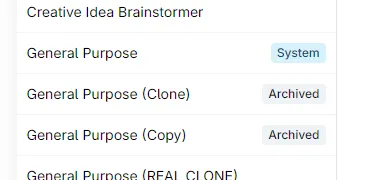
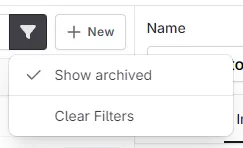
    • Add ability to archive and restore custom prompts to clean up your list (but don’t get rid of them juuuuust yet) image image

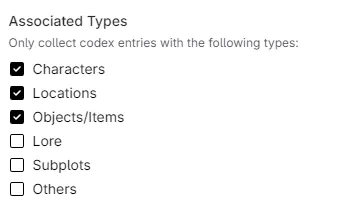
    • You can now specify which codex entry types a custom codex category should collect image

    • The character associated with the current POV will now always be added to the context (should help with 1st person scenes)

    • Duplicate values are now removed when saving tags or aliases

    • Make help bubble toggleable in user settings

  6. February 3rd, 2024

    New Plan Codex

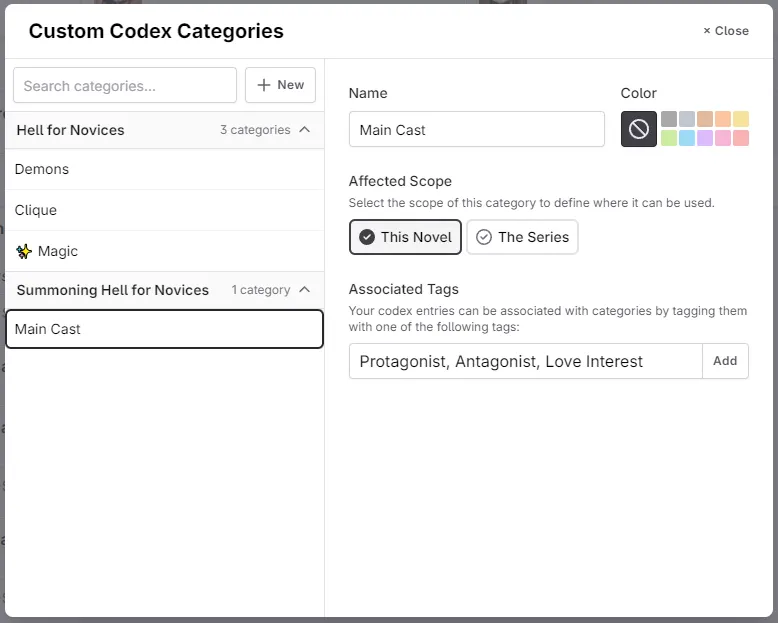
    Custom Codex Categories/Groups are here!

    It is now possible to create dynamic codex groups based on a list of tags:

    • Create a group from the gear-menu in the codex sidebar
    • Each group has a scope (either the novel, or a series) and a list of tags that fall under that group
    • You can also now easily assign a color to all entries associated with that group
    • The groups show up in context menus and the plan matrix too! image

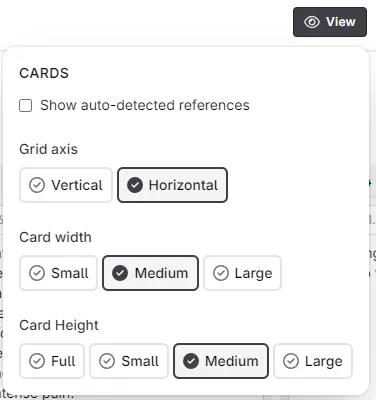
    New Plan mode settings have arrived!

    They are now stored in the browser, just like the manuscript view settings, so you no longer need to set up your view every single time you open a novel!

    • Toggle auto-detected references on or off!
    • Change scene card height between full (height determined by summary length), and other fixed sizes
    • Matrix view now also respects those settings (e.g. card width and height) image

    In addition

    • New Subplot codex category. More to follow for this one!
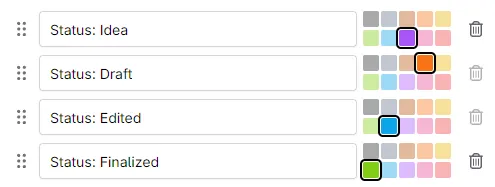
    • Your labels are now sortable by hand, instead of alphabetically. image
  7. January 29th 2024

    Improved Chat Plan Prompts

    Very small one, but still a couple improvements:

    • When using the chat, the message box should now regain focus once the AI did its thing. No more clicking around!
    • Scene subtitles are now visible in matrix view
    • New {context.codex.global} function to only list entries marked as “always include”
    • A few other bug fixes and improvements
  8. January 28th 2024

    Improved Codex Prompts Export
    • The Codex export now includes an index.html file for you to take a look at, print out for later, convert to a PDF, etc. Right now, it only holds names, images, descriptions and notes. More to follow!
    • Global and nested entries are now included in the scene beat validation. This should give you an idea if the context becomes too much
    • Updated internal logic for “X words before” so that smaller models should no longer produce walls of text without any breaks between paragraphs as well as more accurately imitate any text styling present in prior prose.
    • Various other bug fixes and improvements
  9. The Prompt Editor got an Upgrade

    New Prompts

    Today contains the launch of something magical for all prompt wizards out there: A full blown editor with code highlighting, auto-completion and more!

    • Get suggested function calls and scroll through their descriptions
    • Proper highlighting of logic blocks, functions, text literals, numbers, XML, …
    • And yes, it has dark mode, too

    Once you open the curled brackets, a list of possible functions will show up: image

    During editing, as well as in the prompt preview, the different sections in your prompt will be colorized for better visuals: image

  10. January 26th 2024

    Improved Prompts

    Today’s update is about more prompt customization:

    • Show preview prompt button for people using the system default scene beat prompt
    • Add context.codex.getAllByTag and codex.getAllByTag to get entries by their tag (e.g. all the aliens 👽)
    • Change codex.get to return the full entry XML instead of just the description (⚠️ check your prompts after this, but for most this should be an improvement)
    • Add support to all codex lookup functions to either use XML (the default) or normal text (e.g. {context.codex.get("Peter", "raw")} or {context.codex.get("Peter", "xml")})
    • Various other bug fixes and improvements