
- Level:
- Advanced
- Lessons:
- 13 Lessons
Tracking Evolving Heist Plans
Keep your heist plan current as complications mount and the crew adapts.
- Reading Time
- approx. 4 min
A heist plan rarely survives contact with the story. Guards change shifts, allies get arrested, the vault combination gets reset the night before the job. A static Codex entry describing “the plan” quickly becomes outdated, leaving the AI working from bad information.
This recipe shows you how to build a heist plan entry that evolves alongside your story, allowing the AI to stay aligned with your Crew’s knowledge, and visualise the plot timeline in the Matrix.
Setting Up Your Heist Entry
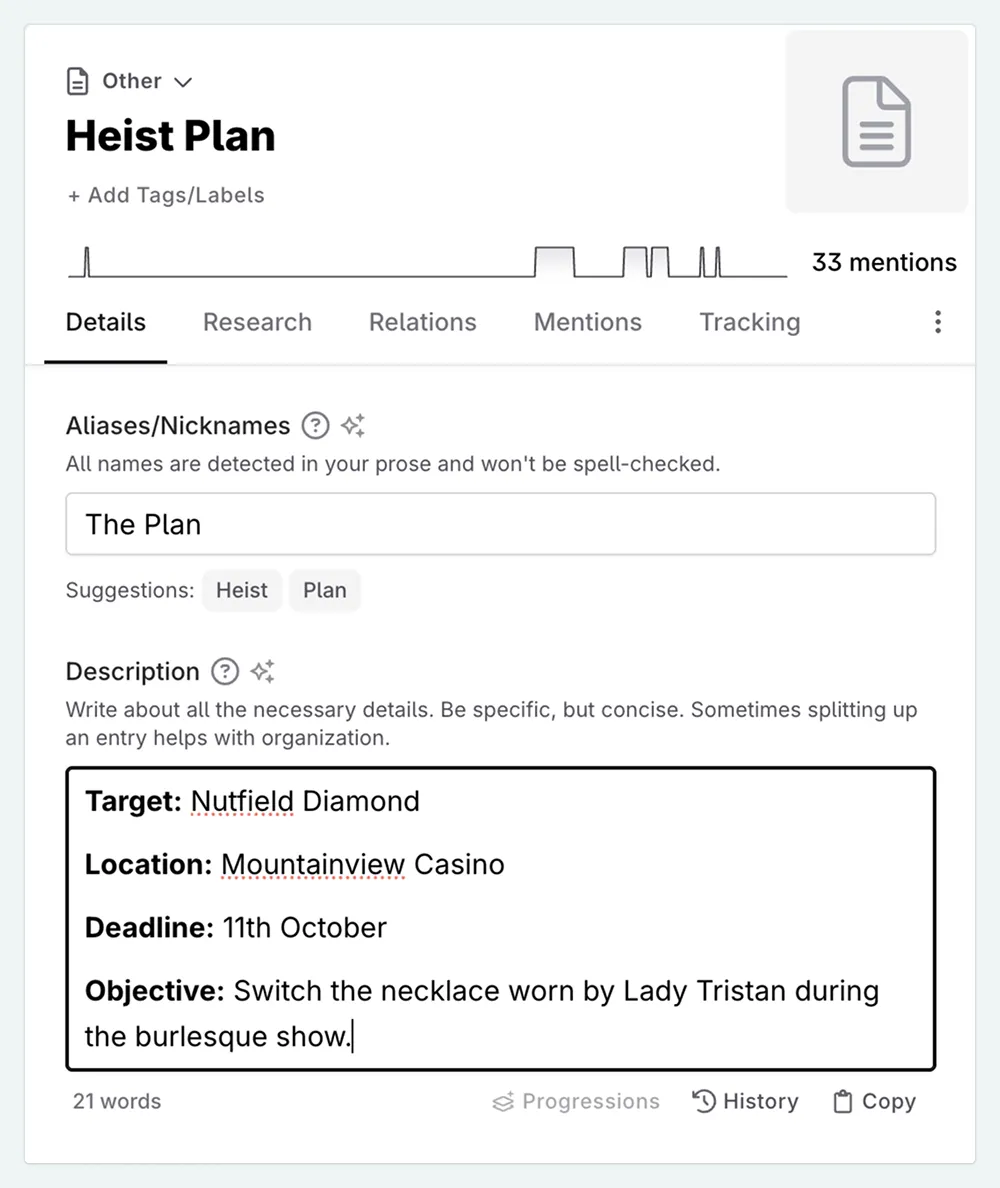
Start with a Codex entry (type Other works well) that captures the plan in its initial state.
Description
In the description, include the foundational elements. These might include:
- Target: What the crew is after
- Location: Where the target is held
- Timeline: When the heist happens
- Objective: What success looks like (this might differ from the target, such as stealing a diamond to swap for a hostage)
These elements rarely change entirely. When they do, it usually means the plan has been scrapped and rebuilt. Progressions work with descriptions too, so these elements can also evolve.
Custom Details
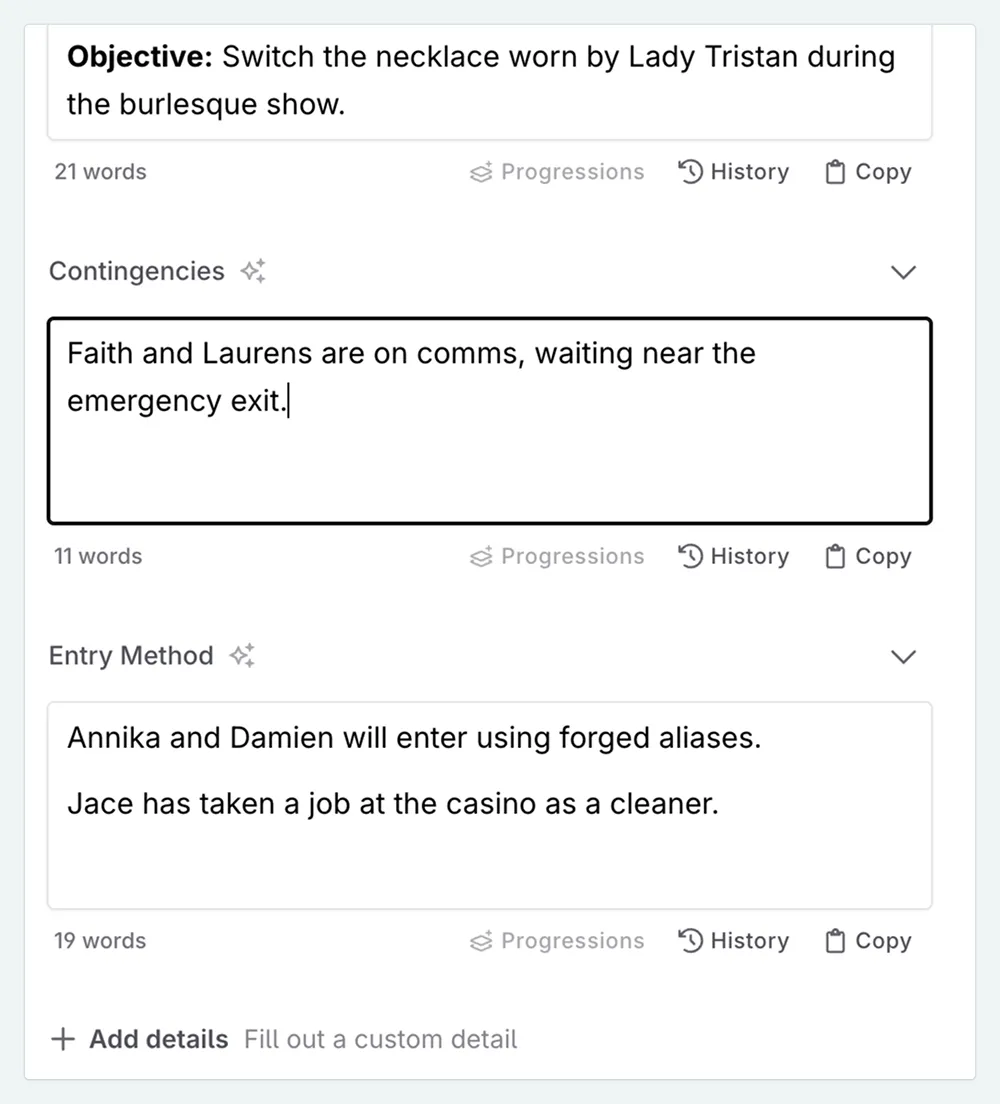
Custom details with the Text type let you use progressions to track elements that might change independently from one another. You might include…
- Entry Method: How the crew gets in.
- Exit Route: How the crew gets out.
- Contingencies: Backup plans, abort signals, emergency protocols.
- Active Complications: A running log of problems the crew is aware of.
Evolving the Plan with Progressions
When something changes, add a Codex progression at the relevant point in your manuscript. You can set these as additions or replacements.
Use additions when:
- New intel supplements existing information (reconnaissance reveals additional security measures)
- A complication arises but the core plan remains intact
- You want the AI to see both the original element and the new complication
Use replacements when:
- The old information is now wrong
- The plan has fundamentally changed direction
- Keeping outdated information would confuse the AI
Viewing Your Heist in the Matrix
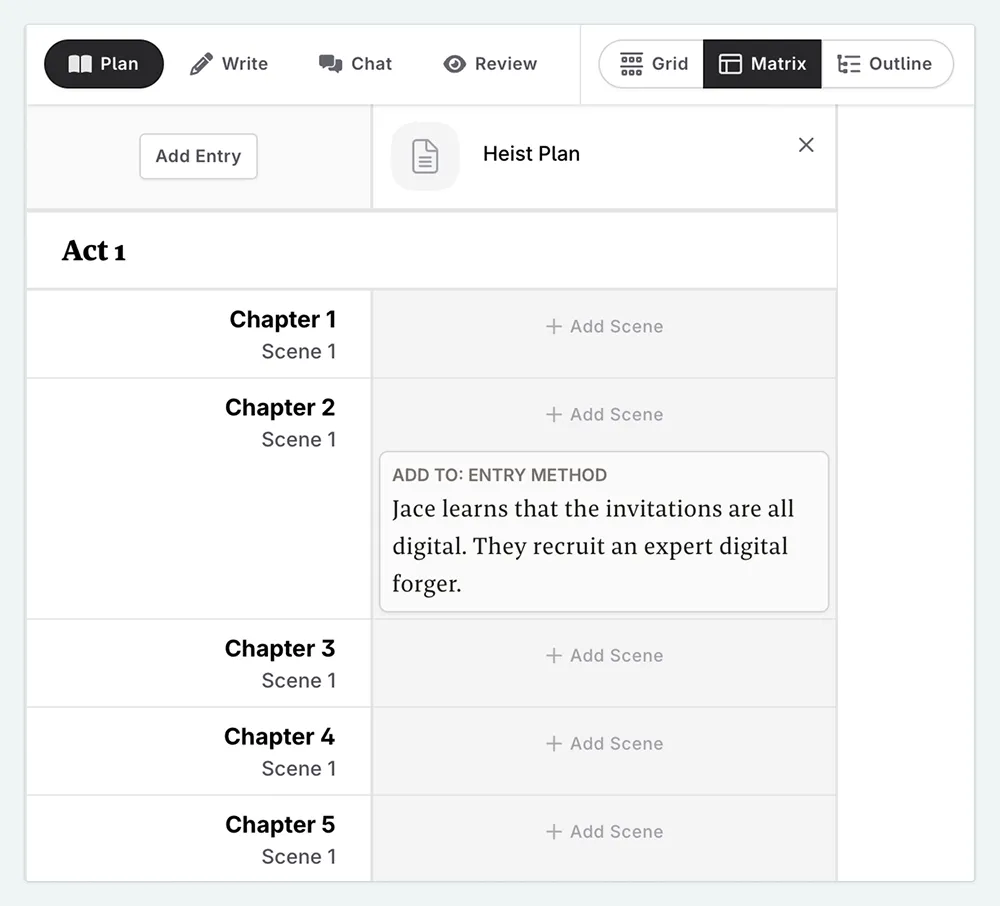
Once you’ve added progressions to your heist entry, the matrix view becomes a planning tool.
- Open the Matrix in the Plan interface.
- In the top bar, select Show , and then Custom Option .
- Pick your heist entry.
From here, you can:
- Spot the shape of your heist arc. A cluster of progressions in the middle act might signal mounting complications. A quiet stretch could mean the plan is stable, or that you forgot to log a change.
- Check pacing. If every scene has multiple progressions, complications may be piling up too fast. If only the first and last scenes have them, the heist might feel static in between.
The matrix won’t write your heist for you, but it shows you where the pressure does and does not build.
Writing Scenes out of Order
As progressions are tied to manuscript locations, you can write scenes out of order with the AI always having the correct information. Just add the progression at the point in the manuscript where the change occurs, even if that scene isn’t written yet.
When you write scenes before that progression, the AI does not see any progressions/replacements that are in later scenes. When you write scenes after that progression, the AI sees the updated plan.
Case Study: The Wen Industries Job
Mei’s crew has been hired to plant forged financial records in a corporate safe before government auditors arrive. The challenge: get in, place the documents, and leave no trace.
Reverse heists put extra pressure on the exit. You can’t improvise your way out when discovery means the whole job fails.
Description:
- Target: CFO’s office safe, 34th floor
- Timeline: Must be in place before auditors arrive Monday morning
- Objective: Plant the forged embezzlement records in Liang’s office safe.
Codex Details
These are all of the Text type.
Entry Method: Pose as weekend cleaning crew. Access CFO’s office during the standard 2 a.m. floor rotation.
Exit Route: Leave with cleaning crew at end of shift.
Trace Protocol: Wipe prints, restore safe contents to exact positions.
Contingencies: If interrupted, abort and reschedule. If documents are discovered early, deny involvement. The crew was never there.
Active Complications: None.
In Chapter 5, the crew learns Wen Industries switched security contractors last month. A progression at this scene:
Active Complications: Add: “New security contractor installed facial recognition cameras at the loading dock. Original exit route would put crew faces on record.”
Exit Route: Replace: “Fire stairs to the B1 parking level, then out via the vehicle ramp on foot. The security booth is unmanned during the 4 a.m. shift change, a 90-second window.”
Contingencies: Add: “Fire stairs trigger a silent alert when opened. Coincide exit with another door activation elsewhere in the building. Kai handles the distraction from the north stairwell.”
Notice how the complication ripples across multiple details. The exit change forces a new contingency, which pulls another crew member into the scene. This is typical for reverse heists, where one problem rarely stays contained.
Genre Variations
Heist Codex entries can be used for any genre, with a few tweaks.
Cozy/Amateur Heist: Plans tend to be loose and improvised. The “Active Complications” detail might grow quickly, while contingencies stay thin.
Thriller/Professional Heist: Plans are tight and compartmentalized. Contingencies are layered.
Fantasy/Sci-Fi Heist: Add details for magical or technological security measures. “Entry Method” might need to address wards, AI surveillance, or biometric locks.
Troubleshooting
AI responses feel unfocused or generic
Cause: Adding progressions for every minor detail.
Fix: Only create progressions for changes that affect how characters act or speak. If it wouldn’t come up in dialogue or decisions, it probably doesn’t need tracking.
Characters reference details that changed
Cause: Using additions when replacements were needed, leaving old information visible. See Evolving the Plan with Progressions
Fix: When information is now wrong (not just incomplete), use replacement. Check the prompt preview to confirm what the AI sees.
AI doesn’t reference the original Codex detail
Cause: Replacements overwrite the previous content entirely. The old version isn’t stored elsewhere. See Evolving the Plan with Progressions
Fix: This is intentional. Replacements remove outdated information so the AI doesn’t see it. If you want to preserve retired plans for your own reference, you could keep a separate “Heist Archive” Codex entry where you paste old versions before replacing. If you’re unsure whether to replace or add, ask: “Would it be a mistake for a character to reference the old info?” Yes → replace. No → add.
Characters are missing recent plot changes
Cause: The Codex wasn’t updated when the story changed.
Fix: Add the progression right after writing the scene. The Matrix view can help you spot gaps: look for long stretches without updates during heist chapters.
Heist entry feels too detailed and unwieldy
Cause: Including more detail than the AI needs.
Fix: The heist entry tracks the plan as the crew understands it, focused on what the AI needs to write characters authentically. Story beats belong in your outline, not here.
This lesson was taught by:

Kate
Based in the UK, Kate has been writing since she was young, driven by a burning need to get the vivid tales in her head down on paper… or the computer screen.