
- Level:
- Beginner
- Lessons:
- 18 Lessons
Prose Transitions
Generate ideas for how to bridge two pieces of prose, using your writing as context.
- Reading Time
- approx. 2 min
This prompt is designed to help you generate ideas for transitioning between two pieces of prose. This can be useful when you have two sections of writing that you want to connect, but you’re not sure how to do it smoothly.
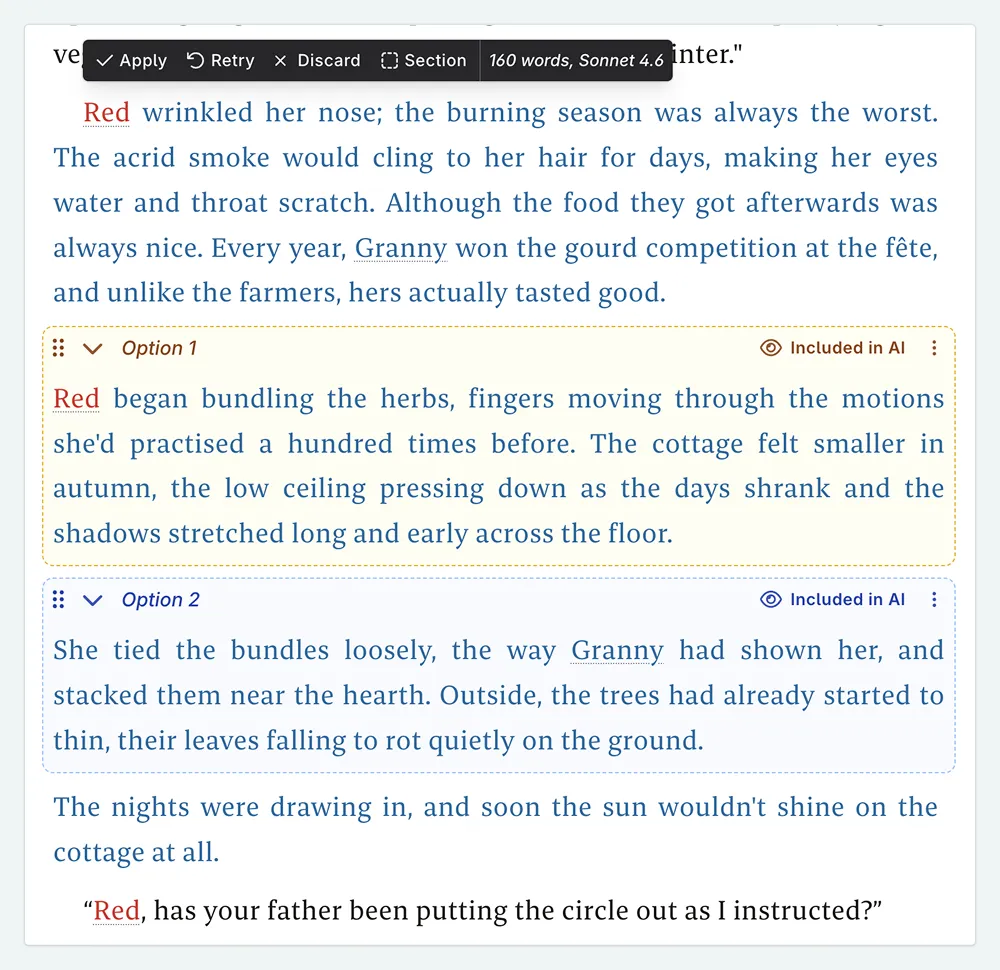
It is a non-destructive prompt, and so will return the original writing that you selected, along with the variations for the bridge text. You can then choose to use one of the variations, combine multiple versions, or use them as inspiration to write your own transition. The prompt will also read the 300 words before and after the selected text, to provide context in its suggestions.
Prose Transitions
Learn how to add this prompt to your account here.
How to Use
Inputs
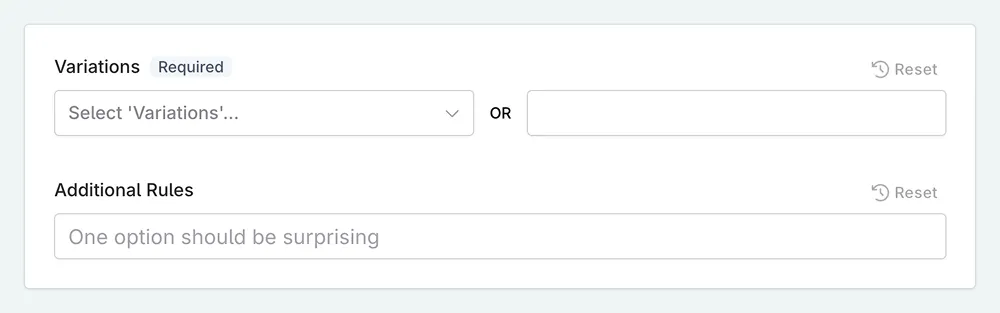
There are two inputs associated with this prompt.
- Variations. This is for the number of variations you want the AI to generate for the bridge text. You can select one of the given options or type in one of your own.
- Additional Rules. You can also add any additional rules or guidelines for the AI to follow when generating the bridge text. For example, you might want to specify a particular tone, style, or theme for the transition.
Using the Prompt
- Select two paragraphs of prose that you want to connect.
- In the menu, select the Transitions prompt.
- Select the number of variations that you want. If you wish to input a different number than the options provided, select Tweak and Generate to open up the modal. In the modal, you can also add any additional rules or guidelines for the AI to follow.
- Select a model, and generate your answers.
- Review the suggestions, and select the one you like best. You can also choose to keep your original prose if you prefer. You can delete the options you don’t want, add them to Snippets, or combine elements from each to create your own version.
This lesson was taught by:

Kate
Based in the UK, Kate has been writing since she was young, driven by a burning need to get the vivid tales in her head down on paper… or the computer screen.