- Level:
- Novice
- Lessons:
- 18 Lessons
Structuring Your Codex with Custom Details
Go beyond the description box and learn how to structure your Codex entries with custom details.
- Reading Time
- approx. 3 min
In our last lesson, you gave your Codex entries some personality with images, colors, and tags. That helped organize them from the outside, making everything easy to find at a glance. Now we’ll look at the information inside each entry.
Sometimes, a single description box gets crowded, especially for a main character or a complex piece of lore. In this lesson, we explore Codex details, which allow you to create custom sections for your information.
Key Takeaways
- Codex details allow you to structure your information in separate fields to the description
- Codex details can help you organize entries and manage AI context
- You can create your own details from scratch, or use Novelcrafter’s quick create options to get started
What are Codex Details?
Codex details are custom information boxes you add to your entries. While the main description section works for general notes, Codex details structure specific information, creating a personalized character sheet or world-building template.
In the last lesson, we used tags to add quick labels. So, what’s the difference?
- Tags are labels for you to filter and categorize entries. They are for your reference only.
- Details are structured information boxes. You can choose to send the information inside them to the AI when you’re using AI features.
If you have a critical piece of information, like a character’s role as the “protagonist,” making it a detail ensures you (and the AI) always have that information available. If you don’t want the AI to know who your protagonist/antagonist is (for example), then use a tag to give you the information.
Why Use Custom Details?
While you can put everything into the description box, custom details offer a few advantages.
- Better Organization: Instead of one long block of text, you can split information into neat, labeled sections like “Backstory,” “Goals,” or “Physical Appearance.” This makes it much easier to find exactly what you’re looking for when you need it.
- Precise AI Control: You decide which details get sent to the AI. For example, you can set a character’s “Story Role” detail to ‘Always Include’ in AI prompts, so it never forgets who the hero is.
- Managing Sensitive Content: If your story contains mature themes, you can place that information in a NSFW-flagged detail. Then, you can mark that detail to be excluded from moderated AI prompts. This is helpful when working with AI models that might refuse to generate text based on sensitive content.
How to Create a Custom Detail
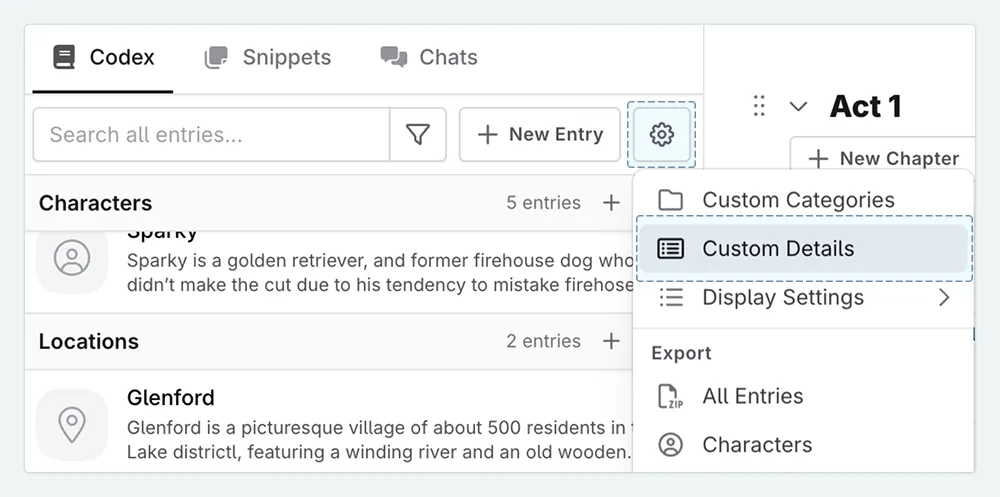
Ready to give them a try? There are two ways to access the details manager:
- From the sidebar, click the ⚙ (cog icon) at the top of the Codex panel and select Custom Details
- From any Codex entry, scroll to the bottom, click Add Details , and then Manage Custom Details
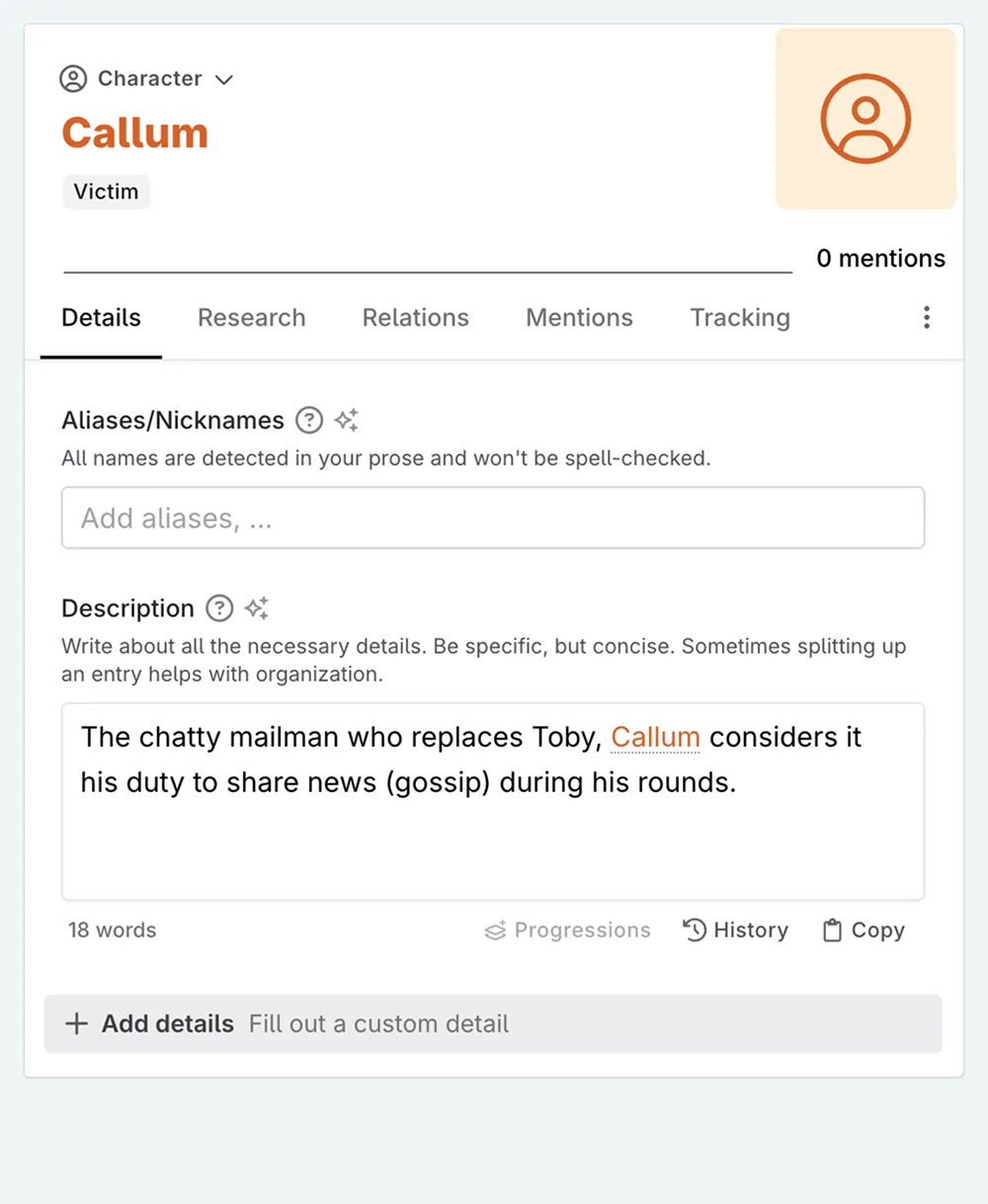
Novelcrafter includes “Quick Create” options to get you started. These include “Backstory” or “Story Role,” and are a great way to see what’s possible!
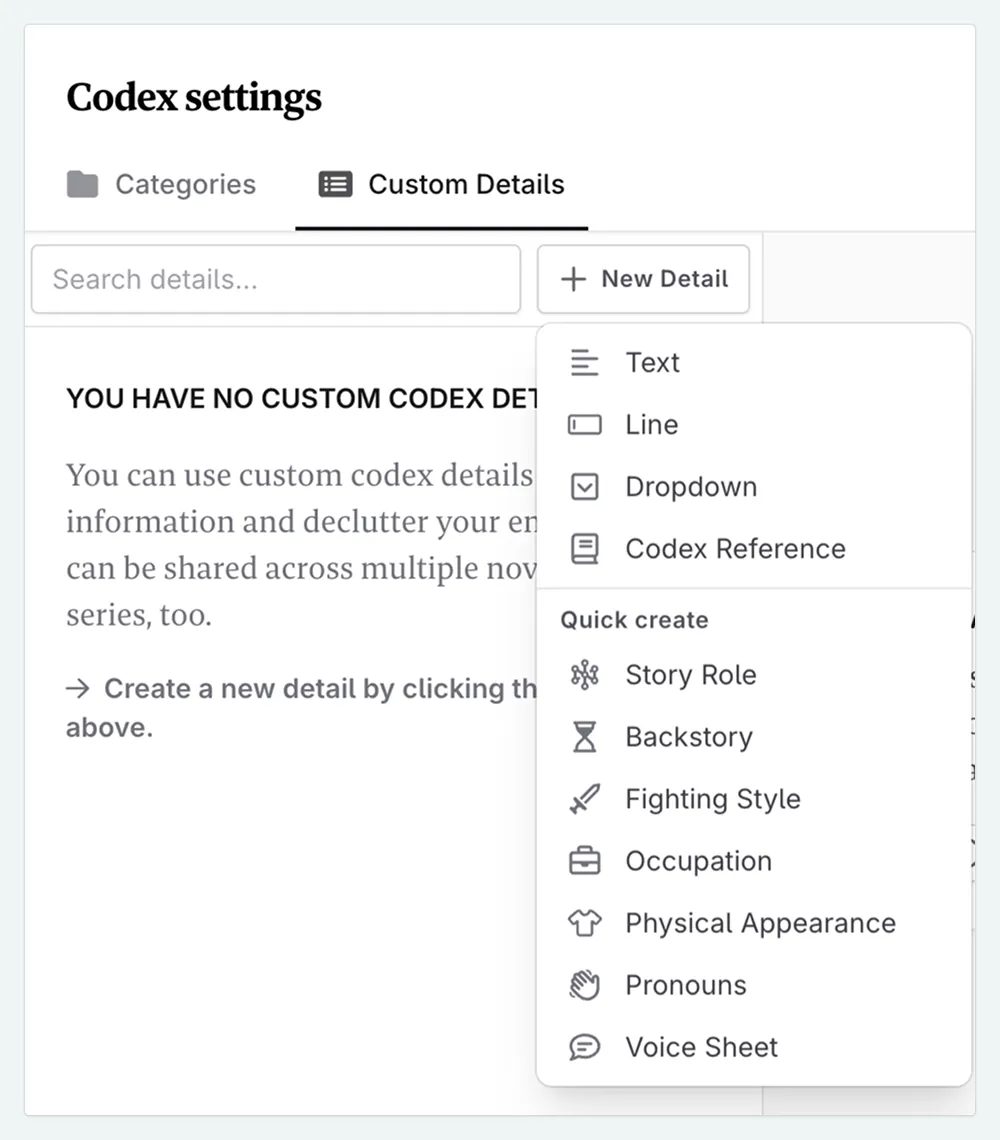
You can also create your own from scratch. When you do, you’ll choose from four types:
- Line: A single line of text. Perfect for an “Occupation” or a “Story Role”
- Text: A larger text box for multiple paragraphs. Ideal for a “Backstory” or “Personality” section
- Dropdown: A list of options you create yourself. You could make a “Status” detail with options like “Alive,” “Deceased,” or “Missing”
- Codex Reference: A special type that lets you link to another Codex entry. For example, linking a character to their “Hometown”. This allows you to quickly go to relevant entries, but does not provide the linked Codex entry’s information to the AI.

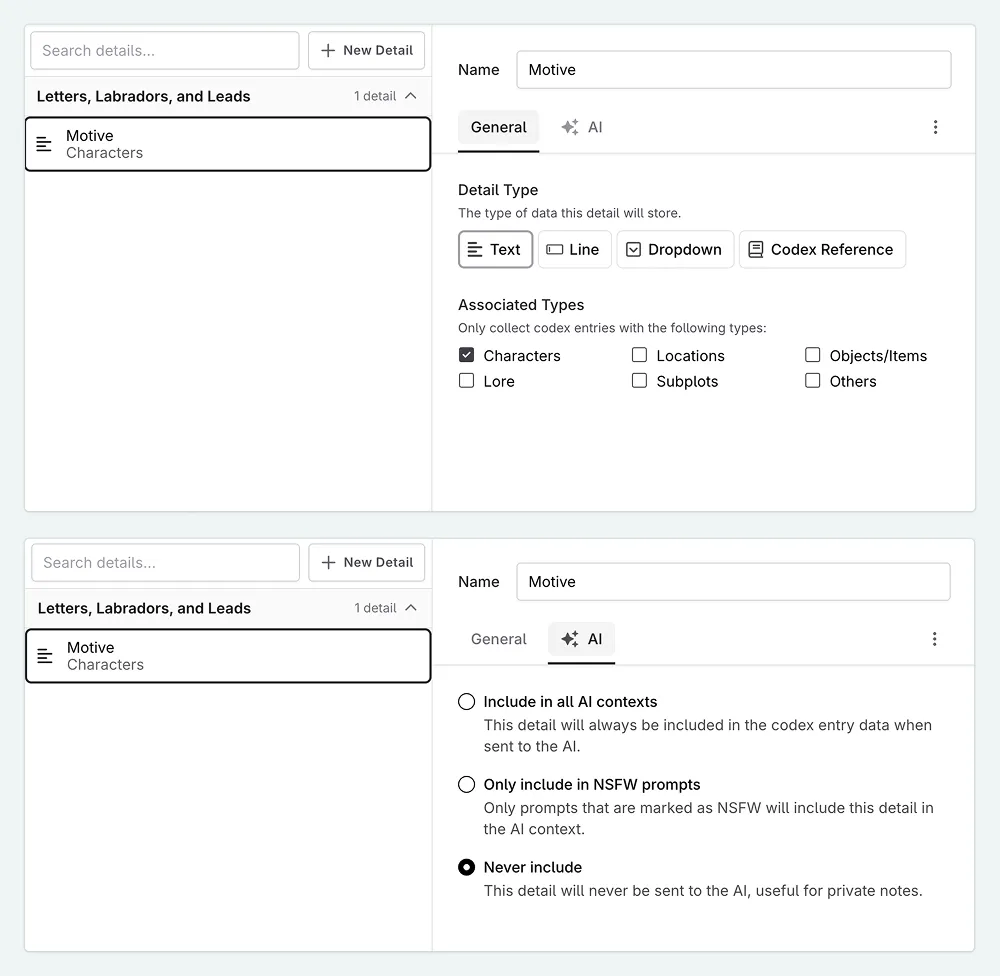
For my cozy mystery, I keep the description box for their general personality and appearance. For everything else, such as a suspect’s “Motive,” I make a custom detail.
I’ve set the “Motive” detail to be excluded from the AI by default. When I want to write scenes that hint about the motive, I can change this.
Recap
Custom details can bring structure to your world-building. They help keep your information tidy for you and give you control over what the AI knows about your story.
Next, let’s look at how we can group together related Codex entries, even when they are of different Codex types.
This lesson was taught by:

Kate
Based in the UK, Kate has been writing since she was young, driven by a burning need to get the vivid tales in her head down on paper… or the computer screen.