Your First Writing Session
A handy guide to your first time writing in Novelcrafter.
Start writing
When you create your first novel, you are taken to a blank Plan interface. To begin writing prose, all you need to do is:
Go to the Write interface

Click Add Your First Scene if you want to start writing prose. If you are in the brainstorming phase, you may wish to start by clicking Create a Snippet to record all your notes.
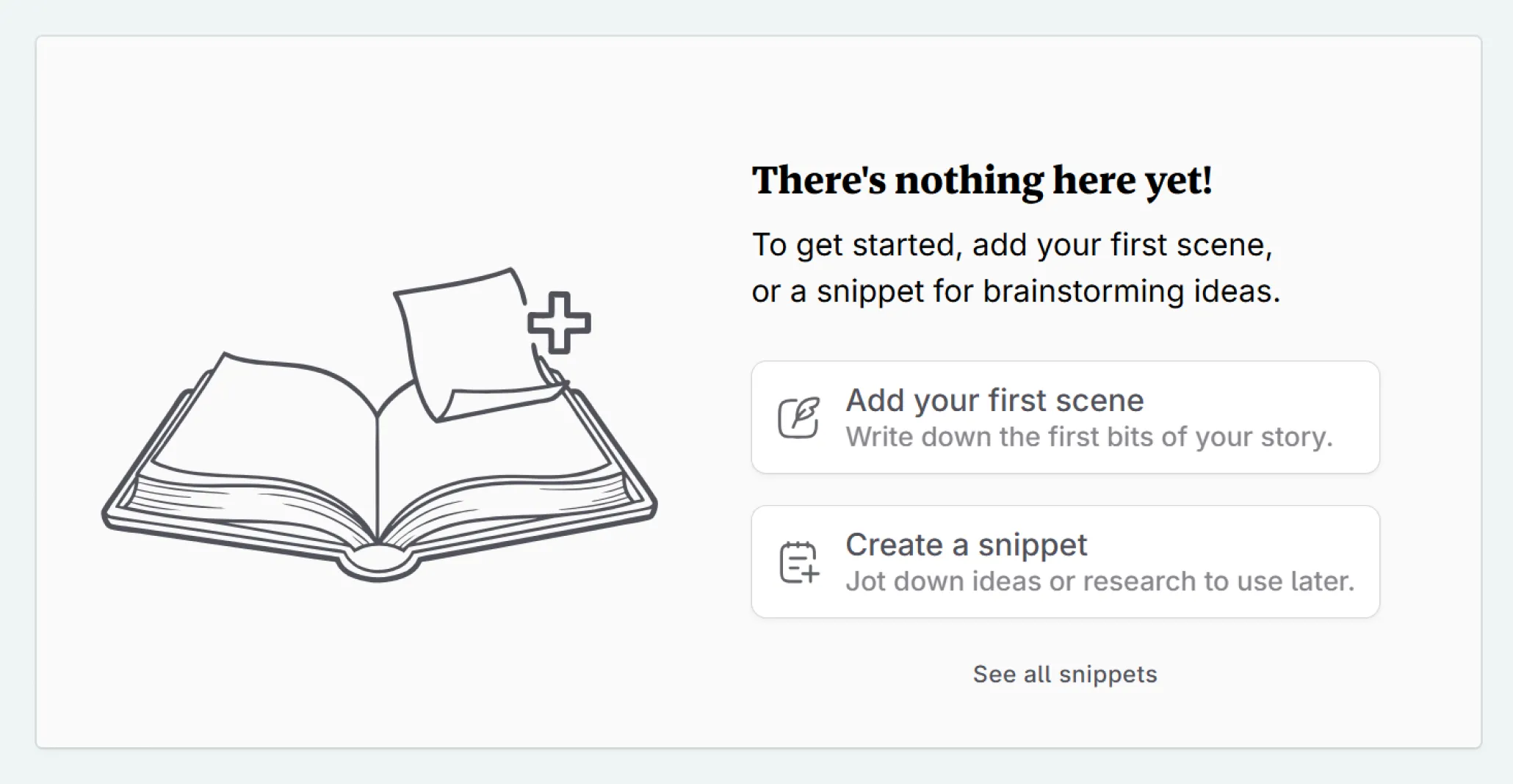
Start writing!
Formatting Bar
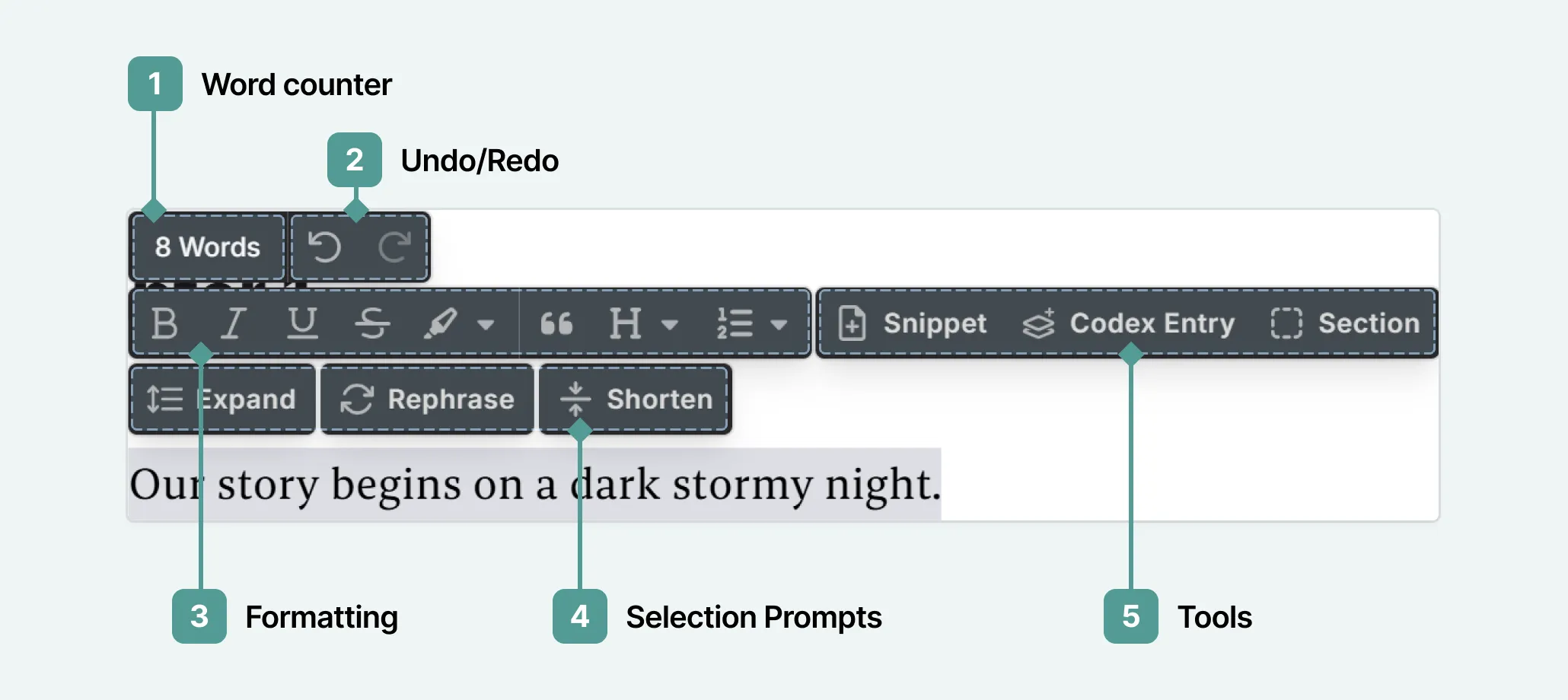
There is no formatting toolbar in the main interface. This is intentional, so you can focus on writing. To access formatting, tools and undo/redo, select a passage of text, and a bubble menu will appear.
Manuscript Navigation
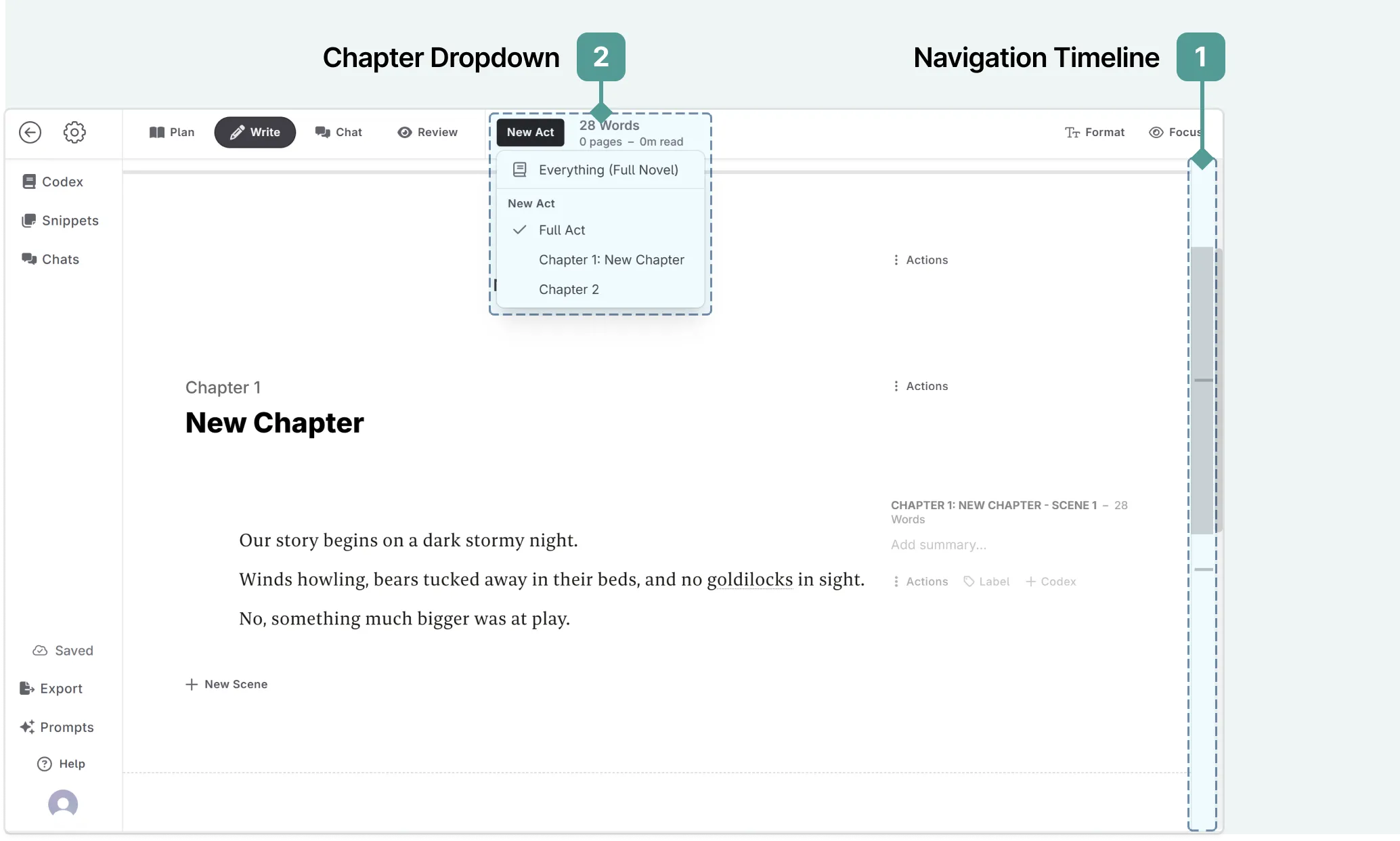
To navigate between acts, chapters, scenes, and snippets, you can either use the navigation timeline (1), or select the act/chapter/scene/snippet from the dropdown menu at the top of the interface (2).
Further Steps
Now that you have started writing, you may wish to explore some of the following guides to help you get the most out of Novelcrafter:
- You can explore more of the Writing interface.
- Discover how to continue your story with scene beats.
- See how text replacement prompts can help you rephrase, expand or shorten your writing.