My Codex Entries/Snippets/Chats have disappeared.
Learn why your Codex entries, snippets, or chats might seem to disappear and how to restore them.
The most common reason Codex entries, snippets, or chats appear to “disappear” is an active filter or search term. Filters restrict your view to specific criteria—such as global entries—and hide everything else.
To restore your full view
How to restore the full view depends on whether you have an active filter or search term.
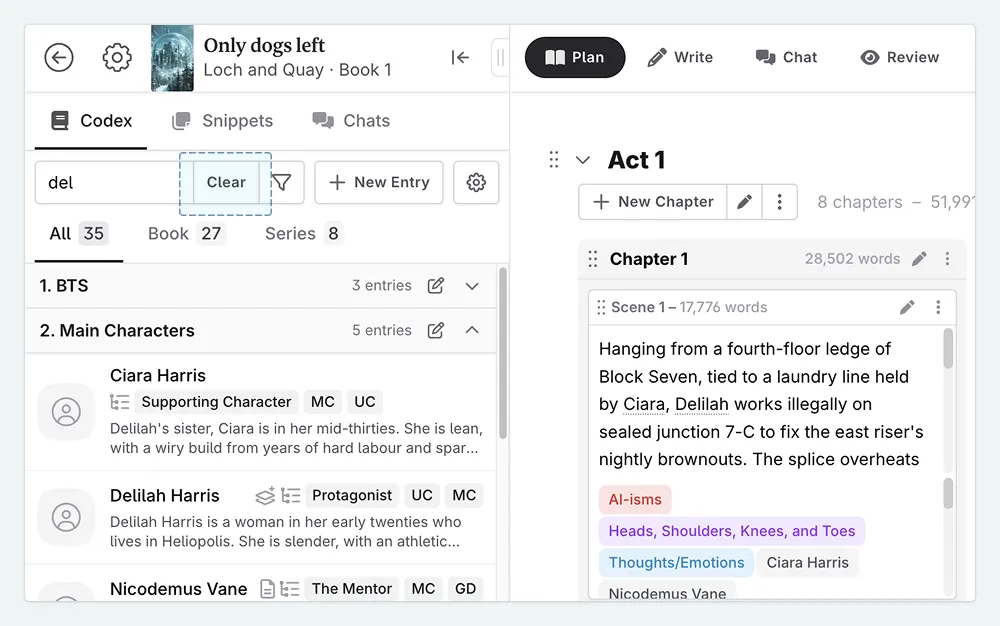
Text in Search Bar
Click Clear next to the search bar. This resets the search terms, bringing all of your entries, snippets, and chats back into view.
Active Filters
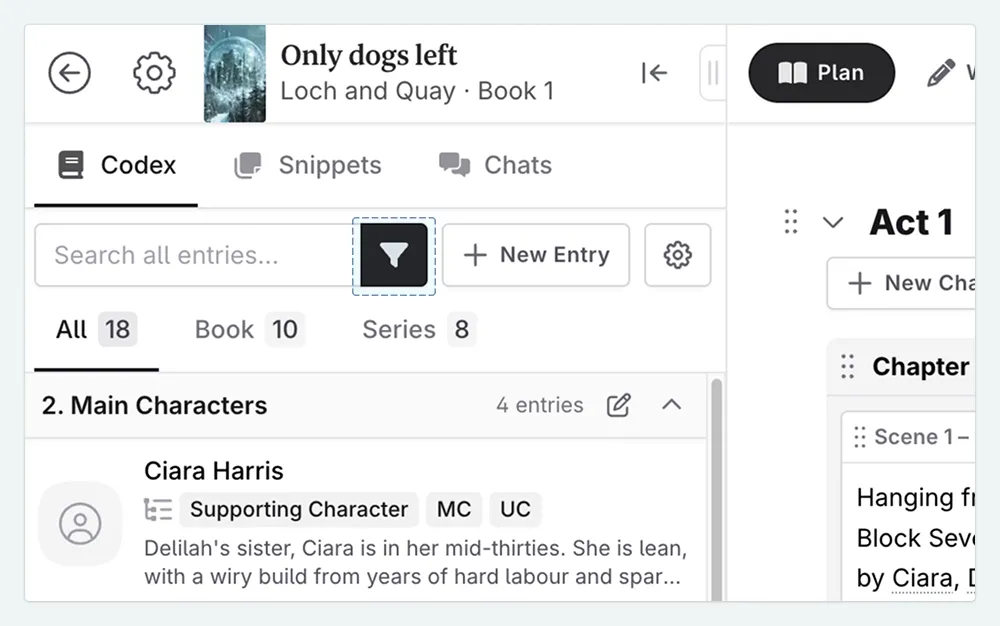
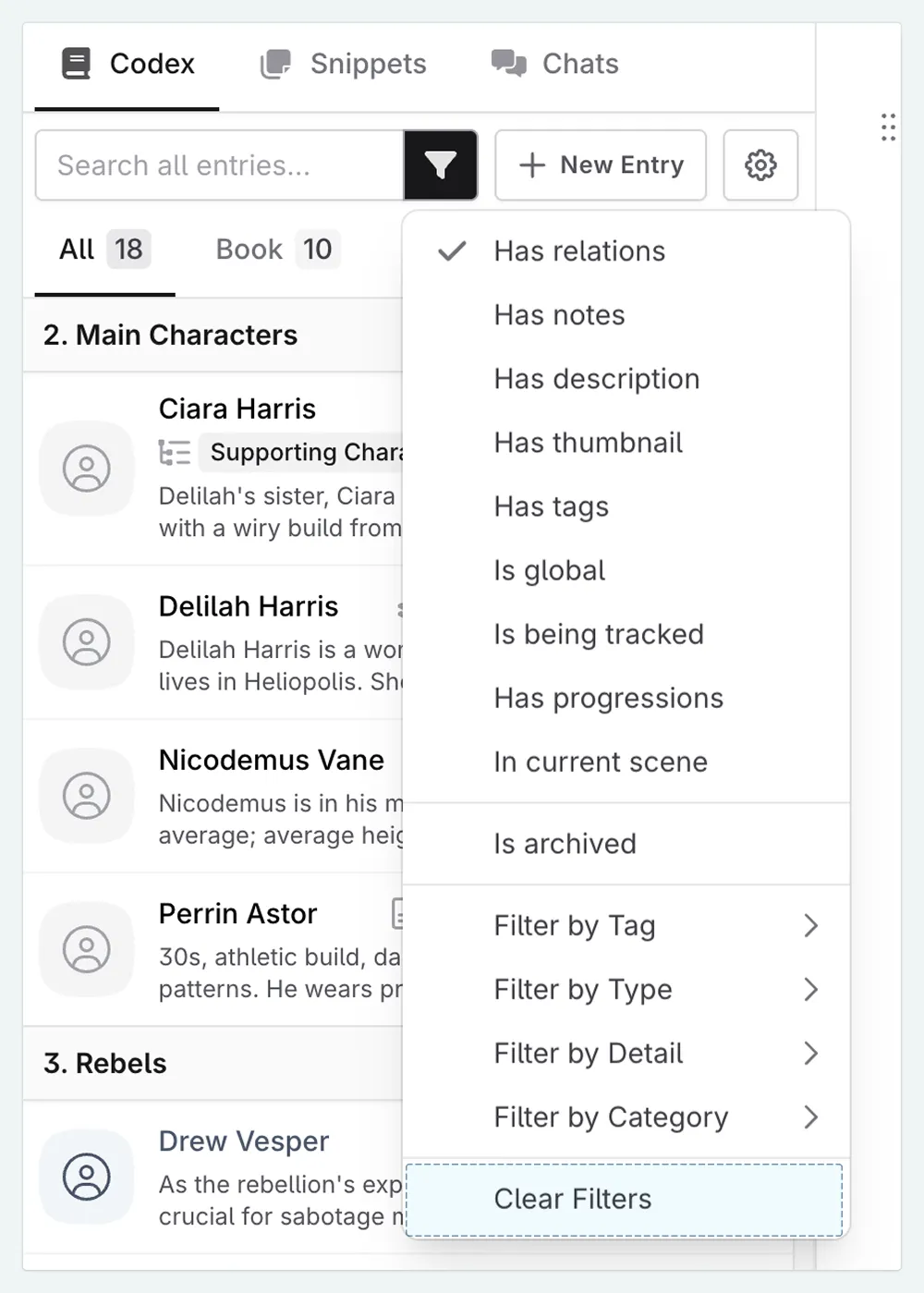
You can see when these are active by looking at the filter icon - it’s a different colour, and filled in! Click this, then select Clear Filter to reset all active filters.
What else
If you still can’t find your entries, snippets, or chats after clearing the filter, consider the following:
- Check archived items to see if you have archived the missing entry.
- Check Codex scope (Series vs. Novel). Entries scoped to the series or to another novel can look missing, for example after moving a novel to a new series.
- Some issues can arise when using multiple windows/tabs/devices, where one device overrides the other. If you have multiple devices open, try closing all but one and refreshing the page.
- Still missing? Contact support with the novel name, screenshots and the approximate date of the last edits.
See also my writing has vanished for more information on how to recover lost writing.