Can I chat with multiple scenes at once?
Use the Context button to add multiple scenes, chapters, acts, or snippets
1 min read Last updated Dec 2, 2025
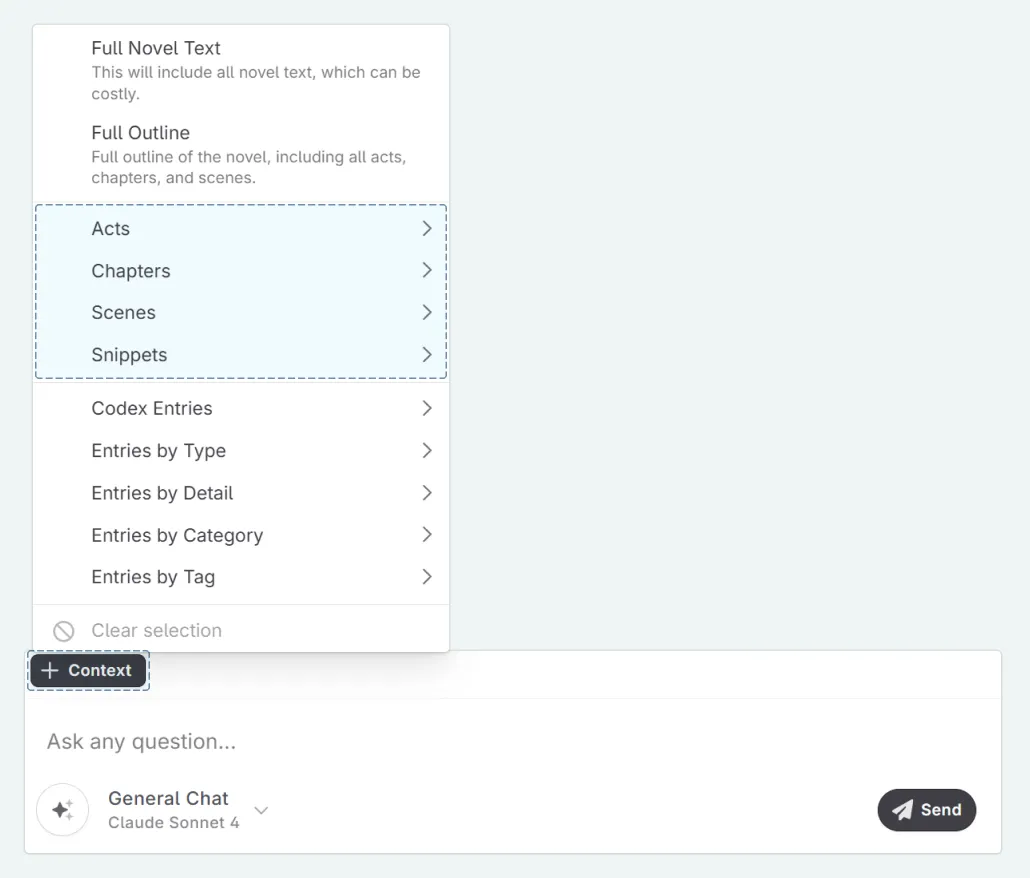
You can ‘Chat’ with multiple scenes, chapters, acts, or snippets at any point by using the + Context in a message thread, and selecting the content you wish to include.
A note on Progressions
When you add multiple scenes, chapters and/or acts to the context, the system will progress your Codex entries to the last scene (chronologically) according to your Plan.
For example:
- If you add Scene 2 and Scene 5 to the context, the system will progress your Codex entries to Scene 5.
- If you add Chapter 1 and Chapter 3 to the context, the system will progress your entries to Chapter 3.
- If you add Scene 1 and Act 4, the system will progress your entries to the last scene of the last chapter in Act 4.