Thinking / Reasoning
Control AI thinking and reasoning effort for complex writing.
Thinking Support (also called “Reasoning”) allows you to control whether AI models engage in extended thought processes before generating responses.
When enabled, AI models take more time to process your request, potentially leading to more thoughtful and well-considered outputs. This is best used for complex questions in Chat, finding plot holes, brainstorming, and other tasks that benefit from taking a bit more time for a more nuanced response.
Enabling Thinking Support
Thinking support is currently part of the Experimental Features. You can enable this feature from the General Settings:
- Click on your profile icon and select General Settings .
- Go to the Experimental Features section.
- Enable the Customize AI Thinking feature.
Once enabled, you can configure thinking preferences in specific areas of Novelcrafter.
Configuring Thinking Settings
There are several places where you can configure thinking preferences:
When interacting with AI
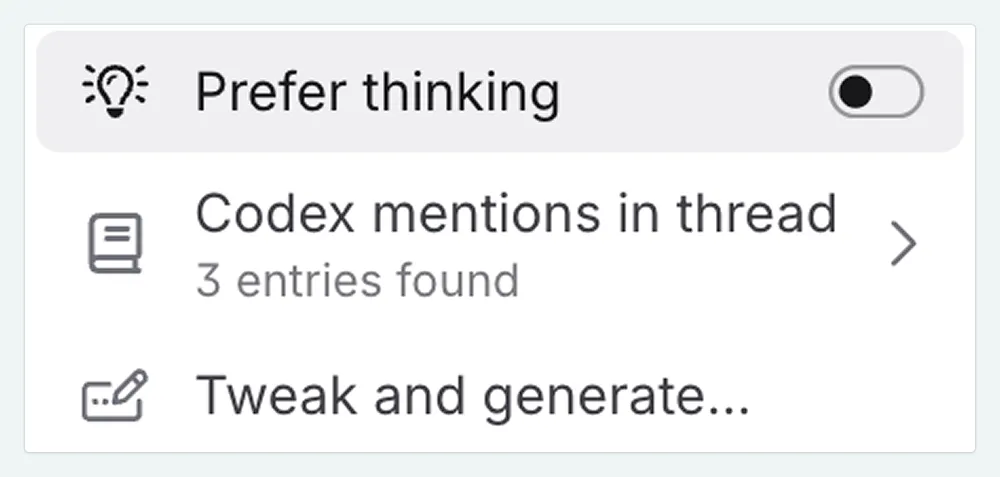
When interacting with AI (in Chat, Scene Beat Completion, or when rewriting text), you will see the option to enable or disable thinking for that specific interaction. Look for the option ‘prefer thinking before answering’ in the model settings section
Preset Configuration
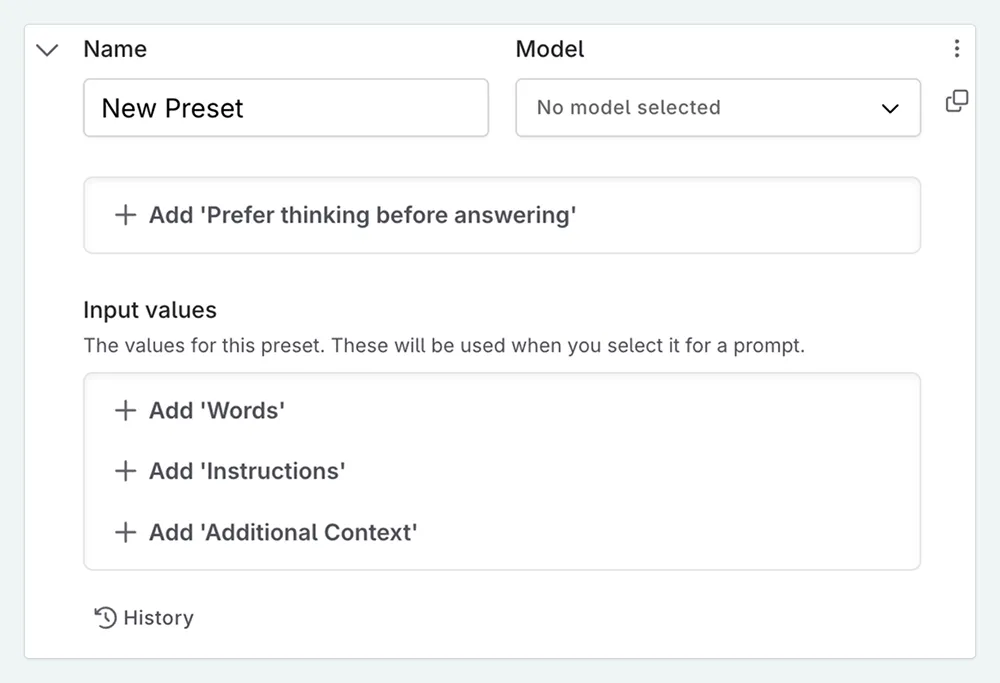
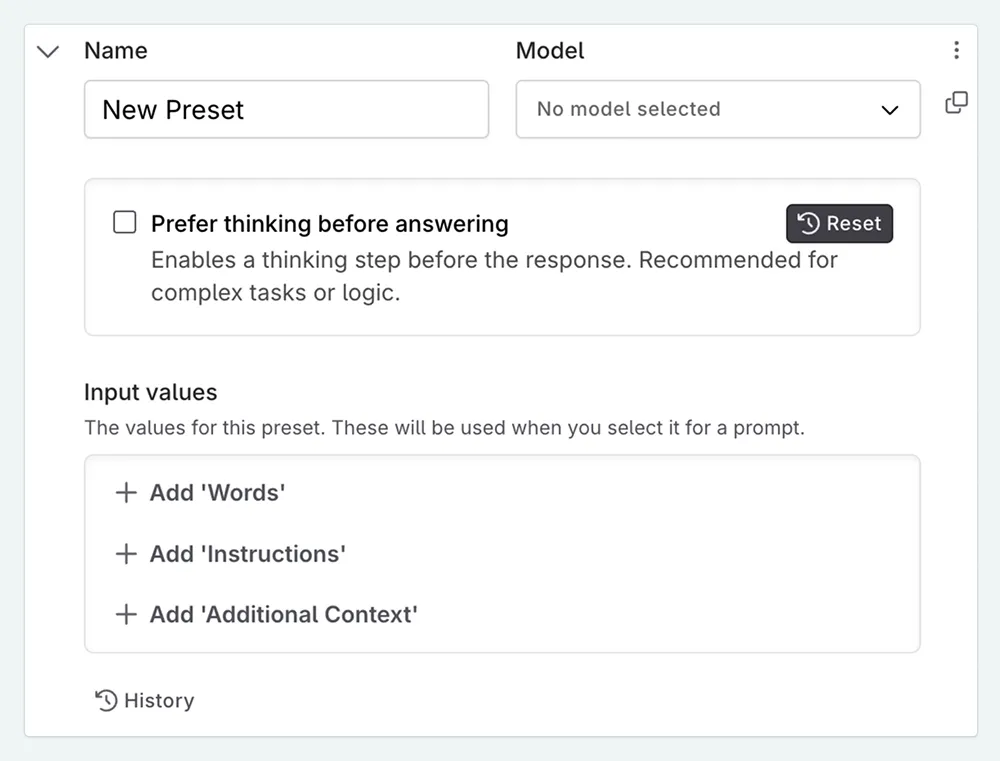
You can save your preference for thinking in the settings for an individual prompt preset. Inside the Prompt Preset configuration, look for the option named Add ‘Prefer thinking before answering’ .
Prompt Configuration
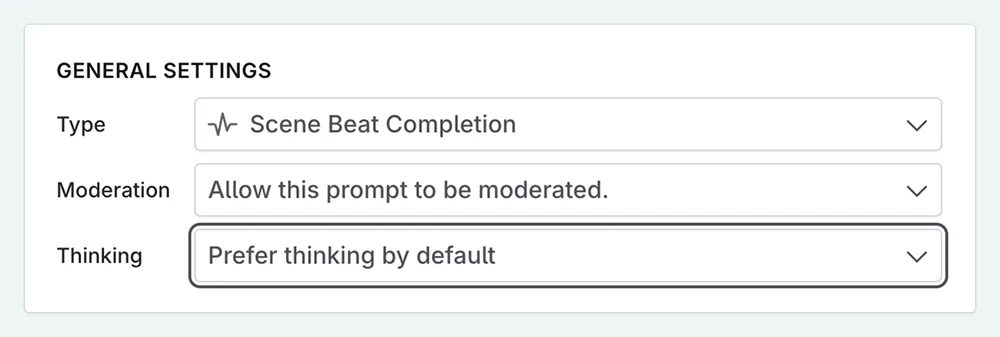
You can set reasoning settings on a per-prompt basis in the General Settings of the prompt configuration, labeled as Thinking . This is a dropdown menu where you can select avoid or prefer thinking by default.
Why “Prefer” and “Avoid”?
Novelcrafter uses the terms “prefer” and “avoid” because different AI models handle reasoning capabilities differently:
- Not Supported: Smaller, faster models often ignore the setting as they don’t have reasoning features.
- Forced: Specialized reasoning models are built to think automatically and cannot be turned off.
Novelcrafter asks the model to think, but the model ultimately decides if it can comply.
Reasoning Effort
By default, Novelcrafter tries to use a “medium” reasoning effort for all models that support thinking. This provides a balance between response quality, generation speed, and cost for most writing tasks.
You can adjust the reasoning effort level for individual models in your custom model collections or prompt settings. This allows you to fine-tune how much “thinking” each model does before generating a response.
Changing the Effort Level
To change the reasoning effort:
Go to your Prompt Library and select a Model Collection.
Select the model you want to configure.
In the model settings, expand the Thinking section.
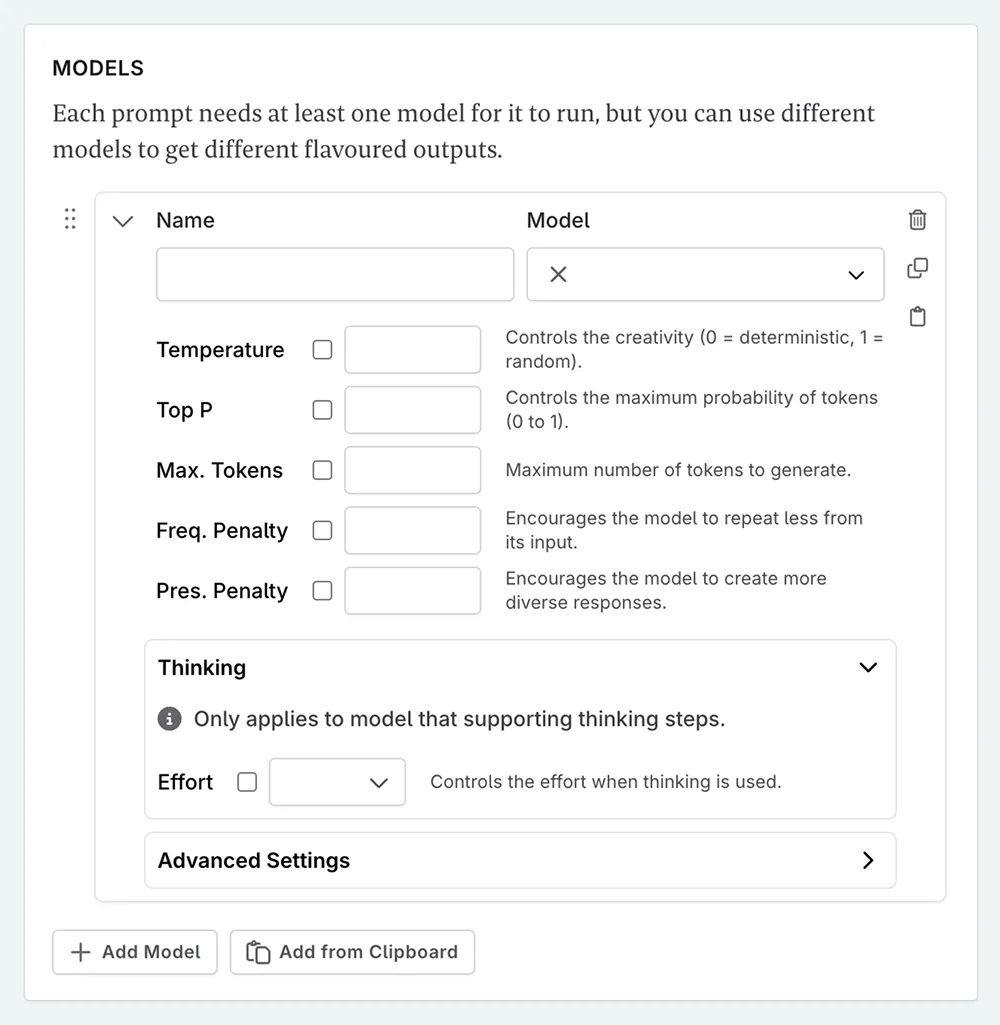
Choose your effort level.
Different effort levels will affect both the generation time and the quality of responses. Higher effort levels use more reasoning steps, which can lead to better results for complex tasks but take longer and consume more credits.
Current Limitations
While the AI uses thinking to inform its current response, you won’t see the thinking process, and the AI will not “remember” its train of thought in the next chat message—only the final output it gave you.